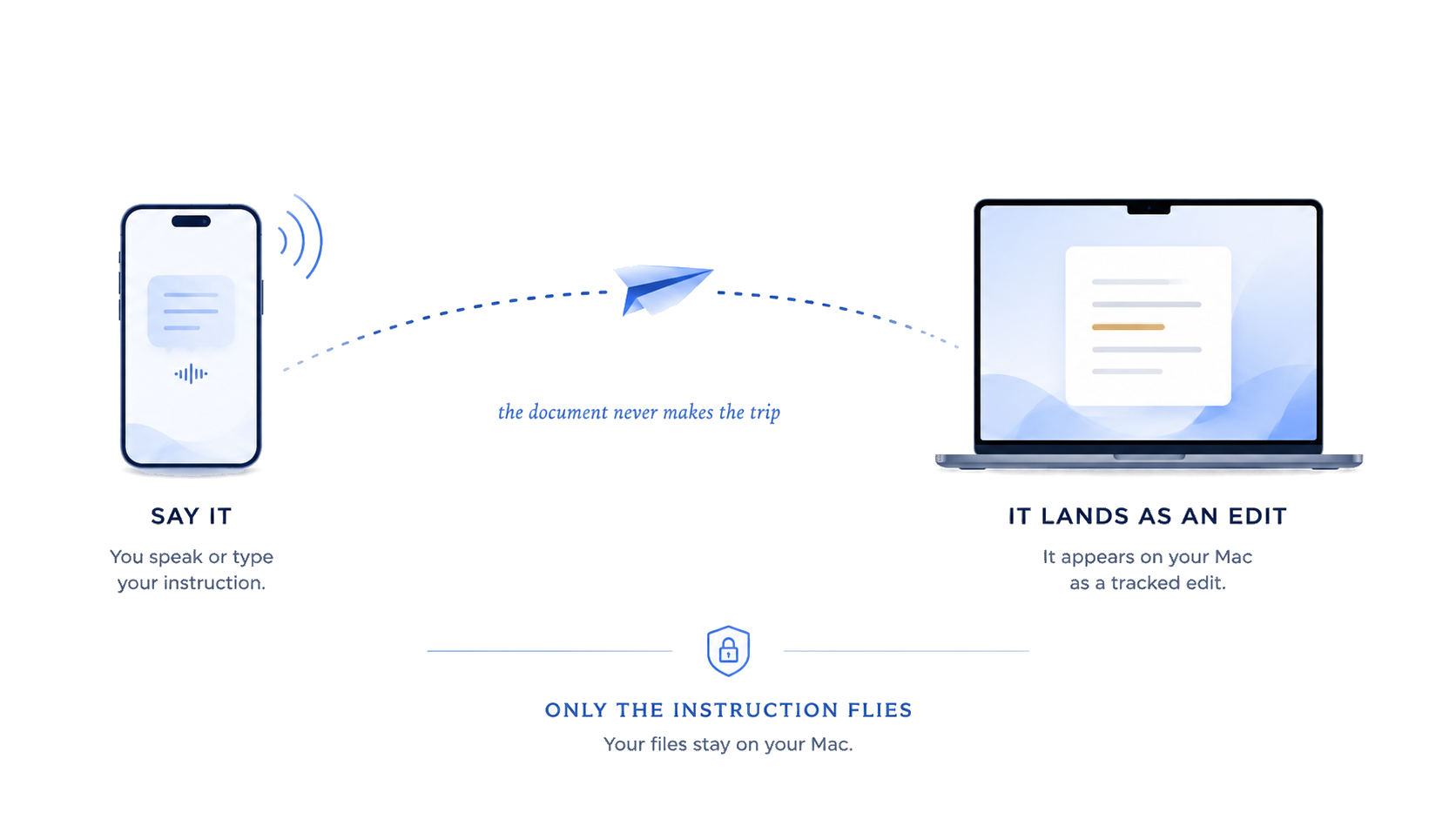
The instruction flies. The document never moves.
Fold the thought. Let it fly. Say what you need anywhere, and it lands on your Mac — where the writing happens and your file stays.
Underneath, Skywriter is a full word processor — styles, sections, pagination, tables, and track changes. Anything started on your phone arrives as an edit you can review, keep, or undo.
Zero clouds. Your writing has no server copy to leak.
One file. One source of truth. Always on your Mac.
Two devices. Nothing in between.
01 — Simple on purpose
One motion, and it is on its way.
Most tools give you reach by taking custody of the file. Skywriter gives you the reach without the trade. Pair once, and from then on only the instruction moves. The document stays on your Mac, exactly where it belongs.
The model runs on your Mac. Your devices talk directly. No account to write. Nothing to collect.
The full disclosure of what leaves your machine, and when, is on the privacy page.
02 — The instrument
A real editor, not a text box.
i
Documents that hold up
Styles, sections, footnotes, pagination — built for documents that need to last.
ii
Tables that behave
Real cells, real spans, repeating headers — exactly where they belong.
iii
One flick to send
Say or type it on your phone. Your Mac writes it into place, ready for review.
iv
Native to the Mac
Built for macOS, not wrapped from the web. Fast, local, and right at home.
03 — What a subscription adds
Five groups, unlocked in place.
One download serves everyone. Free is the editor — write, edit, open and hand off DOCX and PDF. Plus puts the model on board and pairs your phone; Pro adds the four document groups below. A subscription lights them up at the next launch — nothing new to install. Every account gets 30 days of Plus free, the first time you sign in. See the plans →
Skywrite and the phone (Plus)
The model on board: mutter and ⌘⏎ to formalize, ask the AI panel, fill a template’s blanks, propose a template from a finished document — and send a line to the page from your phone.
Advanced formatting
Footnotes, page breaks, running headers and page numbers, page setup, placed images and your own letterhead.
Advanced tables
Build tables and spreadsheet surfaces, not just read them — cells that hold a figure and do the arithmetic.
Review tools
Track changes: every revision marked up, and yours to accept or refuse.
Presenter
Present the document you already wrote, without exporting it into a second application.
Go as far as you like. The writing stays where you left it.
Also true: documents always open — a lapsed subscription never locks a file